
Export to CSV
Export to CSV on the Inferences page turns runs and their feedback into one file for evaluation or retraining. It needs Export predictions (Owner and Admin by default). The file is built in your browser from the current filtered result of the table, all of it and not only the rows loaded so far.
Choose the inferences
Section titled “Choose the inferences”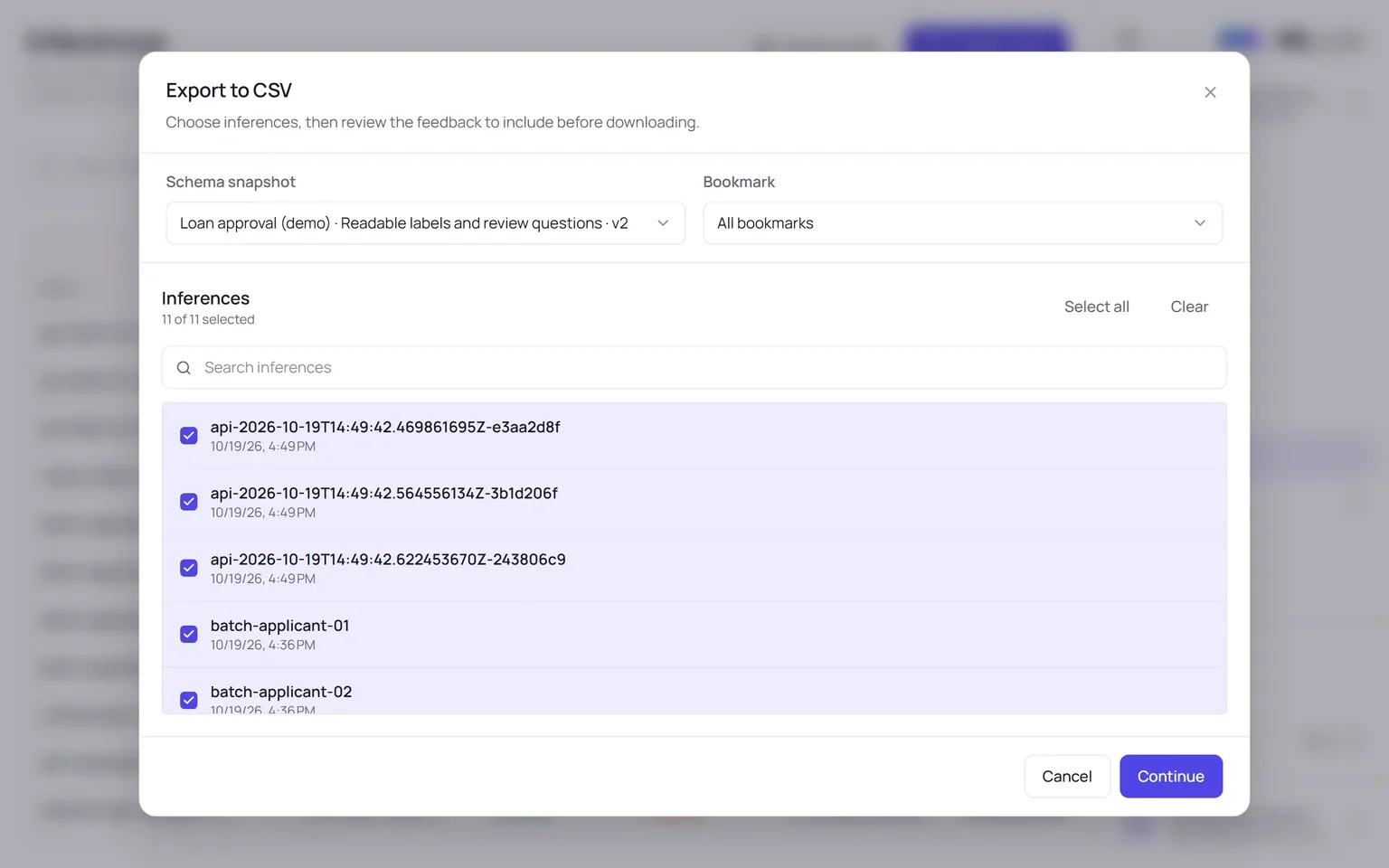
- Filter the Inferences table if you want a subset, then choose Export to CSV.
- Pick the Schema snapshot. One file covers one snapshot, so that every row has the same columns. Optionally narrow it to one Bookmark.
- Select the inferences. All start selected; search, Select all and Clear help.
- Choose Continue.
Choose the reviews
Section titled “Choose the reviews”The Export reviews step lists the reviewers who answered the selected inferences. Include or leave out each reviewer, or each inference, and expand an inference to read its answers. Choose Export CSV to download the file. If the answers cannot be loaded, the export is blocked rather than written incomplete.
The file
Section titled “The file”The file is named <snapshot>_<YYYY-MM-DD>.csv, comma-separated, UTF-8 with a byte-order mark so
spreadsheets open it correctly. One row per inference:
| Column | Holds |
|---|---|
inference_name, run_id, run_status, created_at |
The run. |
origin, created_by |
Where it was made and by whom. |
model_count |
How many models it ran. |
input.<model id>.<feature> |
Each value sent to each model, under the model’s own feature names. |
output.<report>.predicted |
Each built-in report’s prediction. |
output.<report>.feedback.<reviewer> |
Each reviewer’s assessment of that prediction. |
report.<report>.content |
The content of a report that has review questions. |
report.<report>.<question>.<reviewer> |
Each reviewer’s answer to each question. |
Inputs are exported as the model received them, so a one-hot field appears as its 0/1 columns.