
Bookmarks
A bookmark is a named pointer to one snapshot of a schema, such as production or pilot. It is
what members run under Predict, what a public page serves, and what an API client calls. Runs
record the bookmark and the exact snapshot they ran on.
Create a bookmark
Section titled “Create a bookmark”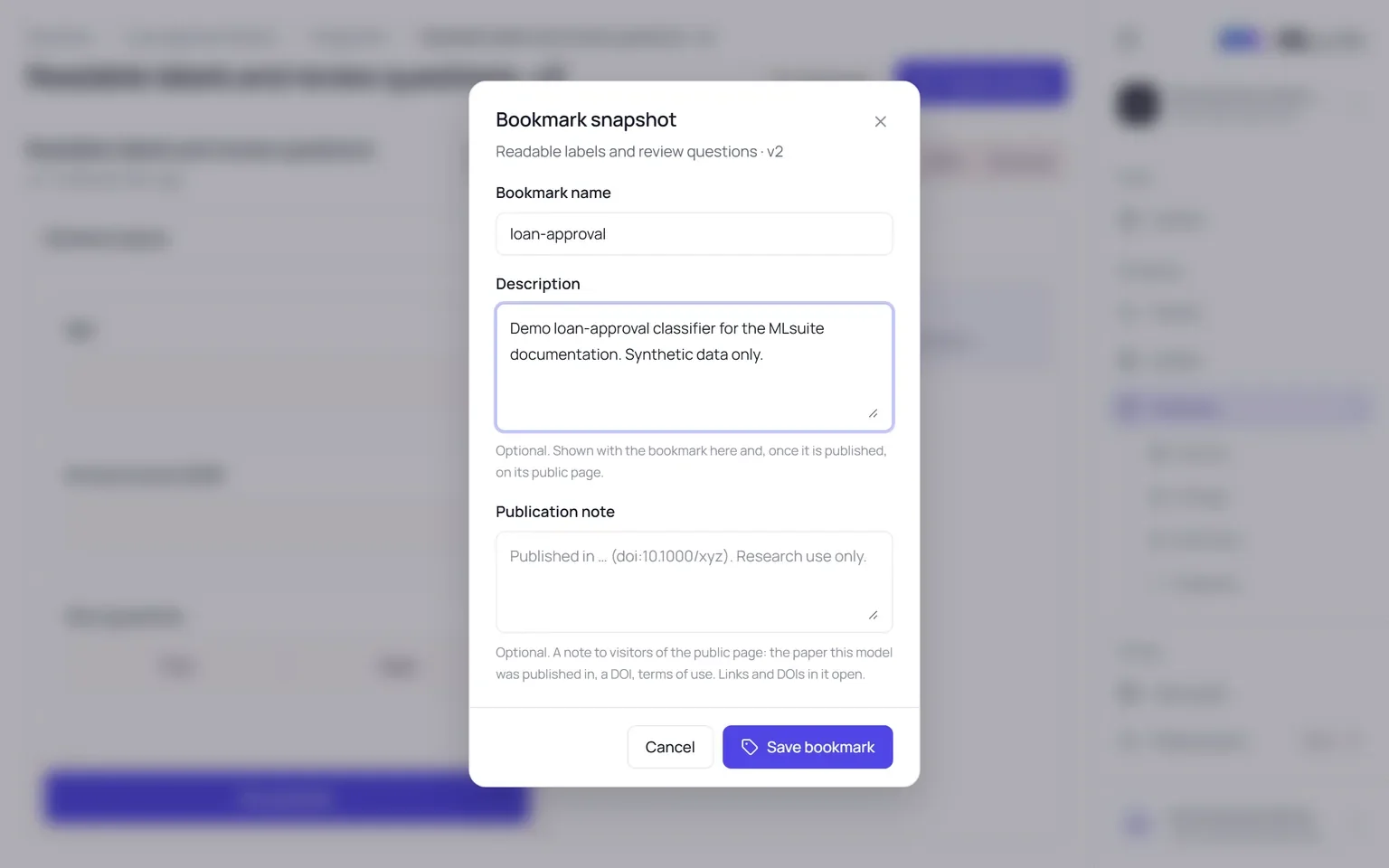
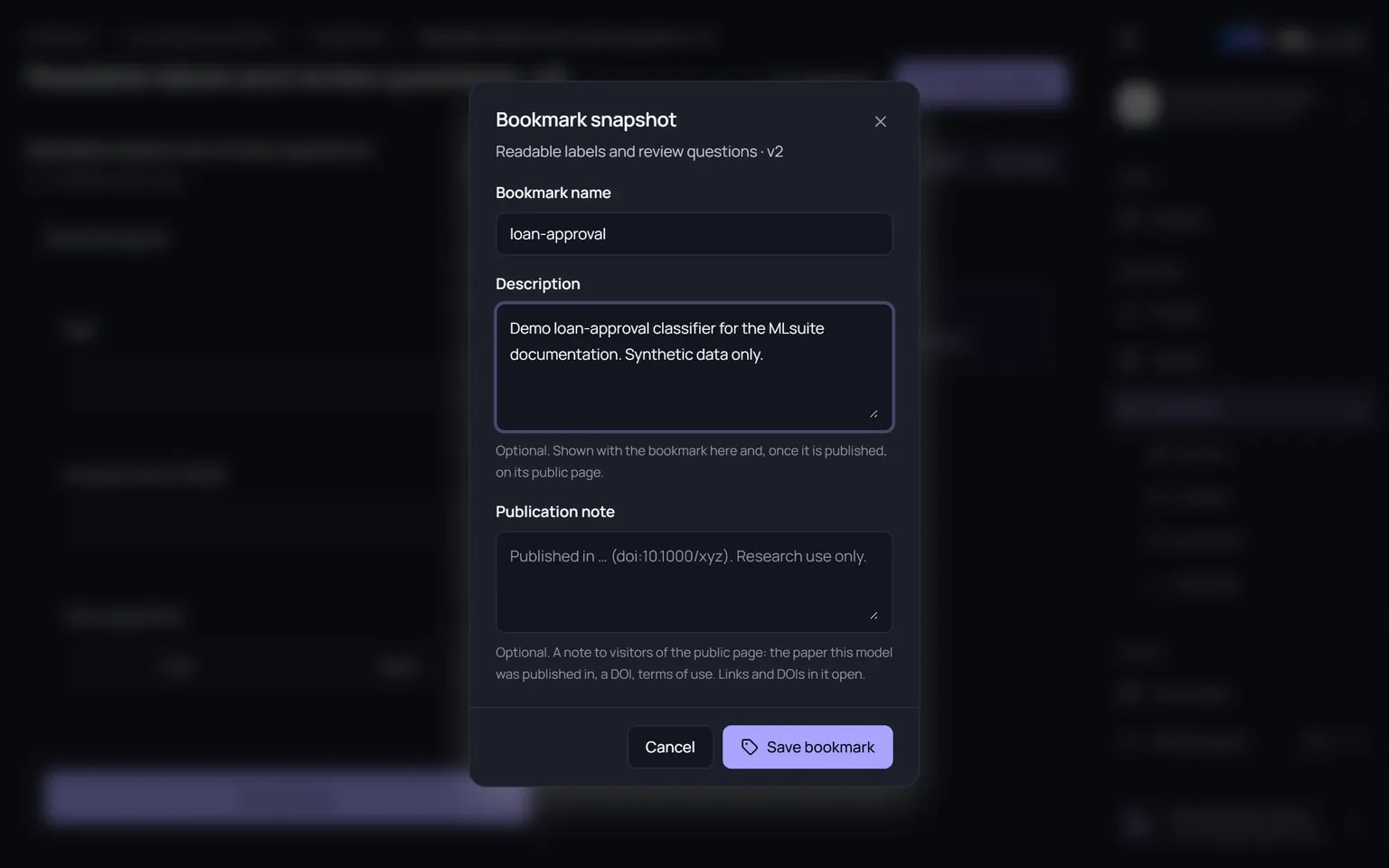
Choose Bookmark on a snapshot, from its page or from the actions in the Snapshots tab (needs Create models):
| Field | Rule |
|---|---|
| Bookmark name | Up to 180 characters, unique in the schema. Defaults to the snapshot’s name in lowercase with hyphens. |
| Description | Optional, up to 800 characters. Shown with the bookmark and, once it is published, on its public page. |
| Publication note | Optional, up to 1000 characters. Shown to visitors of the public page: the paper the model was published in, a DOI, terms of use. Links and DOIs in it become clickable. |
Choose Save bookmark. The bookmark appears on the schema’s Bookmarks tab and under Predict.
Move a bookmark
Section titled “Move a bookmark”To point a bookmark at another snapshot, bookmark that snapshot under the same name. The bookmark moves and keeps its description and note unless you enter new ones.
- Members with the bookmark open under Predict see that it moved. They can keep their unsaved runs of the old snapshot only until they save or discard them; after that, Use v<N> loads the new form.
- A public bookmark cannot move to a snapshot whose models exceed the size limit for public runs; unpublish it first.
- Public examples are served only while the bookmark points at the snapshot they ran on. Moving it back serves them again.
The Bookmarks tab
Section titled “The Bookmarks tab”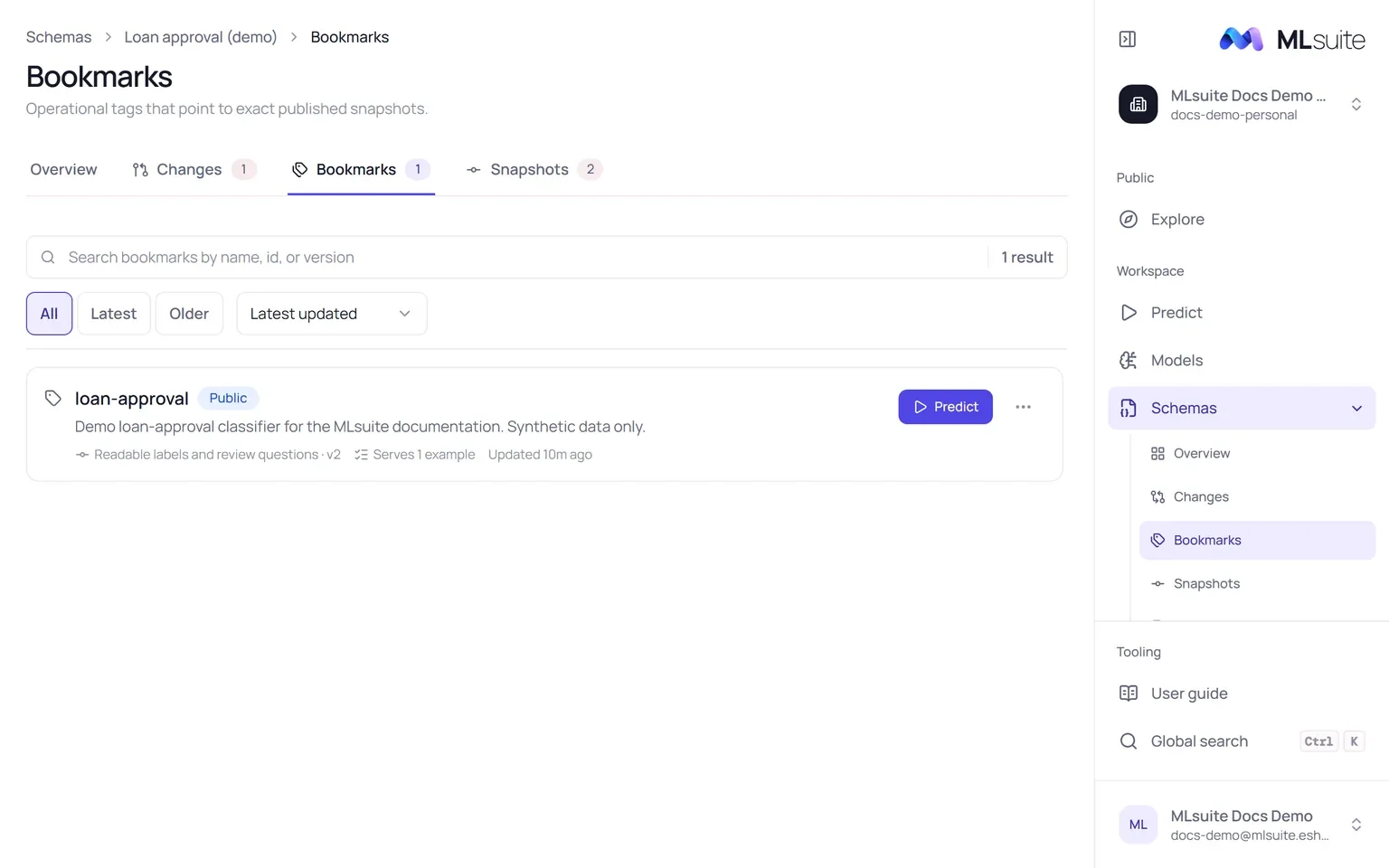
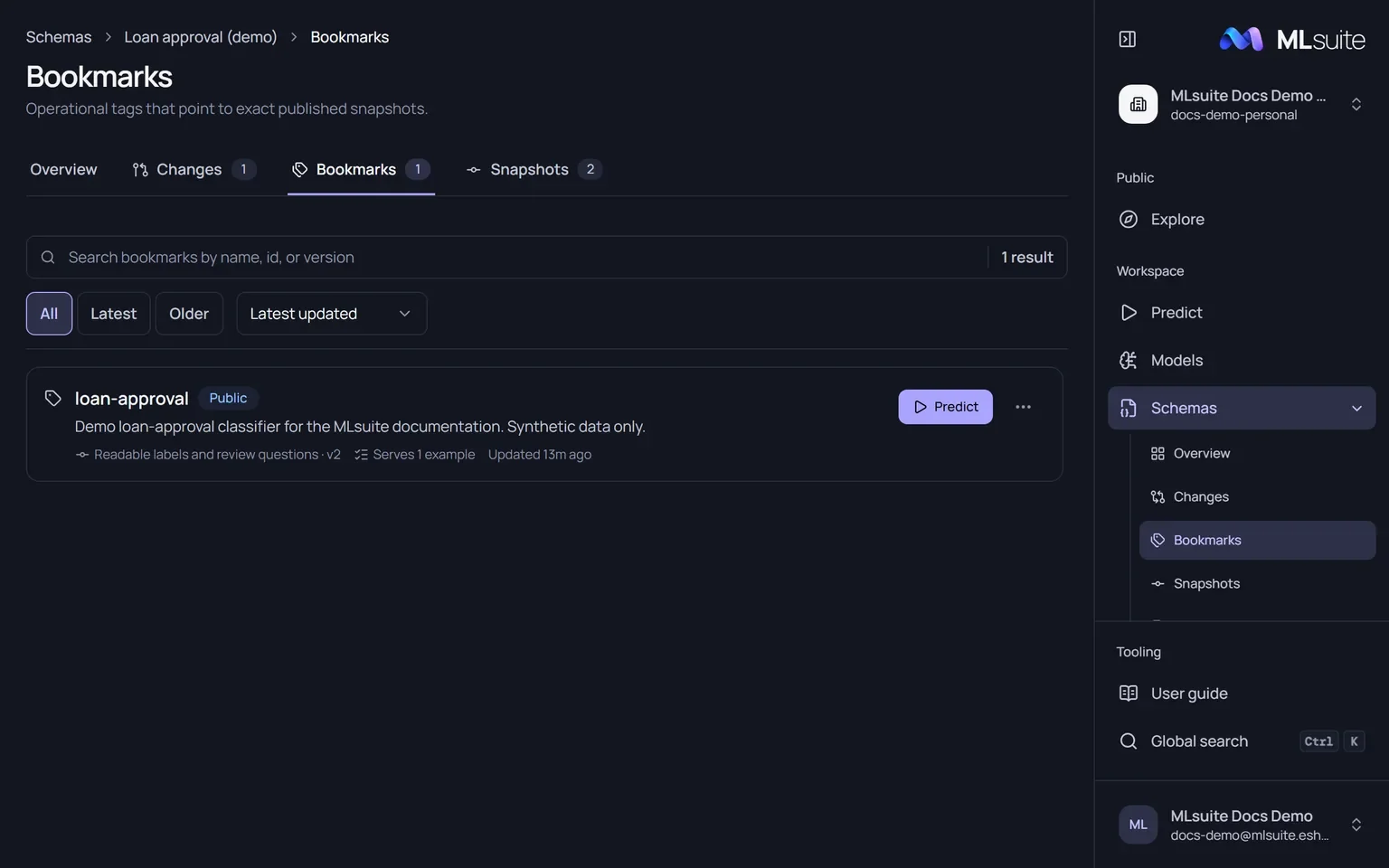
Filter All, Latest (on the newest snapshot) or Older, and sort by Latest updated, Name or Version. Each row shows whether the bookmark is Public or Private, its snapshot, how many examples it serves and a Predict button. Its actions menu holds, as your permissions allow:
| Action | What it does |
|---|---|
| Edit name and description | Rename it and change its description and publication note. On a public bookmark the public page changes too. |
| Publish / Unpublish | Make it public in Explore, or private again. See Publish a bookmark. |
| Copy public link, Open public page | For public bookmarks. |
| Public examples | The saved runs that fill its public form. |
| API access | Opens its endpoint documentation in the API section. |
Bookmarks cannot be deleted; they are removed with their schema.